
• News
  • About TechGist.ng: Simplifying Tech for All
  • Contact
  • Techgist.ng: Your Source for Nigerian Tech News and Reviews
  • Newsletter
Techgist
  • Tips
  • News
  • A.I
  • Reviews
  • Fintech
  • Programming
  • Naira Fx Rates
Reading: How to Set up eSIM in Nigeria: An Overview Guide
TechgistTechgist
Aa
  • Tips
  • News
  • A.I
  • Reviews
  • Fintech
  • Programming
  • Naira Fx Rates
Search
  • News
  • About TechGist.ng: Simplifying Tech for All
  • Contact
  • Tips
  • News
  • A.I
  • Reviews
  • Fintech
  • Programming
  • Naira Fx Rates
Techgist > Techgist.ng: Your Source for Nigerian Tech News and Reviews > Tips > How to Set up eSIM in Nigeria: An Overview Guide
Tips

How to Set up eSIM in Nigeria: An Overview Guide

Last updated: 2023/03/04 at 8:02 PM
techgist 3 Min Read
Share

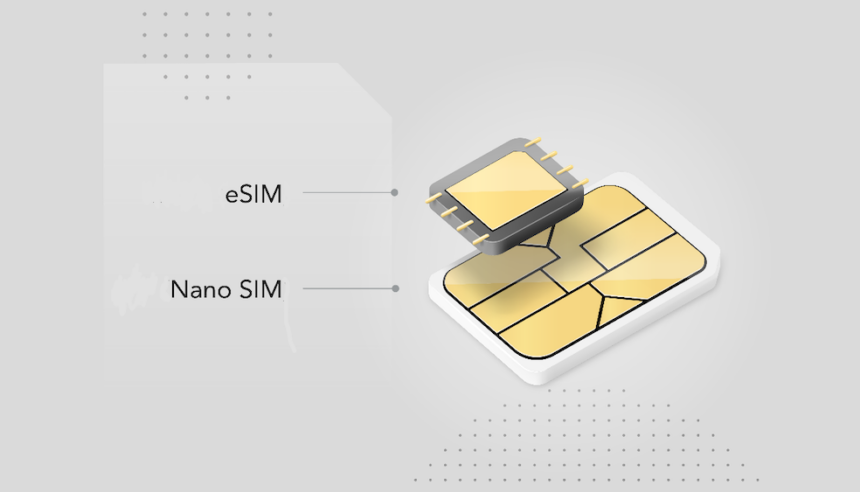
eSIM, also known as embedded SIM, is a small chip embedded in your smartphone that enables you to activate cellular service without having to insert a physical SIM card. This technology has been gaining popularity in recent years due to its convenience and flexibility. If you’re wondering how to set up eSIM in Nigeria, this overview guide will help you get started.

Contents
Step 1: Check if Your Phone Supports eSIMStep 2: Purchase an eSIMStep 3: Scan the QR CodeStep 4: Activate the eSIMStep 5: Verify the eSIM SettingsConclusion

Step 1: Check if Your Phone Supports eSIM

The first step to setting up eSIM in Nigeria is to check if your phone supports this technology. Not all smartphones are compatible with eSIM, so it’s essential to verify if your device supports eSIM. To check if your phone supports eSIM, go to your device’s settings, select “Mobile Network,” and check if there’s an option to add a new plan.

Step 2: Purchase an eSIM

Once you’ve confirmed that your phone supports eSIM, the next step is to obtain an eSIM. Currently only MTN & 9mobile offer eSIMs, and you can get one free by visiting any of their physical stores.

Step 3: Scan the QR Code

Once you’ve obtained your eSIM, the next step is to scan the QR code provided by your mobile network operator. To do this, go to your phone’s settings, select “Mobile Network,” and then select “Add a New Plan.” You’ll be prompted to scan the QR code provided by your mobile network operator. Setup process varies based on if you’re using android or an iphone.

Step 4: Activate the eSIM

After scanning the QR code, your phone will prompt you to confirm the activation of the eSIM. Follow the on-screen prompts to activate the eSIM. Once the eSIM is activated, you’ll be able to make calls, send text messages, and use cellular data.

Step 5: Verify the eSIM Settings

After activating the eSIM, verify that the eSIM settings are correct. To do this, go to your phone’s settings, select “Mobile Network,” and check that the settings match those provided by your mobile network operator. If there are any discrepancies, contact your mobile network operator for assistance.

Conclusion

In conclusion, setting up eSIM in Nigeria is a simple process that can be done in just a few steps. Ensure that your phone supports eSIM, purchase an eSIM, scan the QR code, activate the eSIM, and verify the eSIM settings. Once these steps are completed, you’ll be able to enjoy the convenience and flexibility that eSIM provides. W’ll soon be writing a tutorial post on how to setup esim on your iPhone and Samsung


TAGGED: Tips, Tutorial
Share this Article
Facebook Twitter Copy Link
Previous Article The Best ISPs in Abuja: Which Provider Should You Choose?
Next Article buy .ng or .com.ng Best place to buy ng & com.ng domain names in Nigeria
Leave a comment Leave a comment

Leave a Reply Cancel reply

Your email address will not be published. Required fields are marked *

- Advertisement -

Most Popular

Starlink in Nigeria price and installation

Starlink In Nigeria Price and Installation.

By techgist
jayz-ai-generated-art-1

AI in Music: Viral Song Featuring Jay-Z’s AI-Generated Voice in Latest Song

By techgist

How to Use the Chipper App to Pay for Netflix, Apple Music, and More in Nigeria

By techgist

You Might Also Like

Must-Have Alert: The Gadgets Every Tech Bro and Sis Needs Right Now!
ReviewTips

Must-Have Alert: The Gadgets Every Tech Bro and Sis Needs Right Now!

7 months ago
ReviewTips

Beyond iPhone vs Samsung: Uncovering the Best Budget Phones from Vivo, Oppo, and Redmi

7 months ago
Infographic illustrating the impact of Nigeria's data bundle tariff hike on Nigerians, showing a significant increase in cost and decrease in data affordability.
NewsTips

The 2025 Data Price Shock: How Nigerians Can Cope with Rising Mobile Tariffs

9 months ago
AI generated picture of Trump
FintechNewsTips

The Trump Effect: How Funding Cuts Threaten Africa’s Health and Tech Progress

9 months ago
  • Tips
  • News
  • A.I
  • Reviews
  • Fintech
  • Programming
  • Naira Fx Rates

© COPYRIGHT TECHGIST 2023

Welcome Back!

Sign in to your account

Lost your password?