

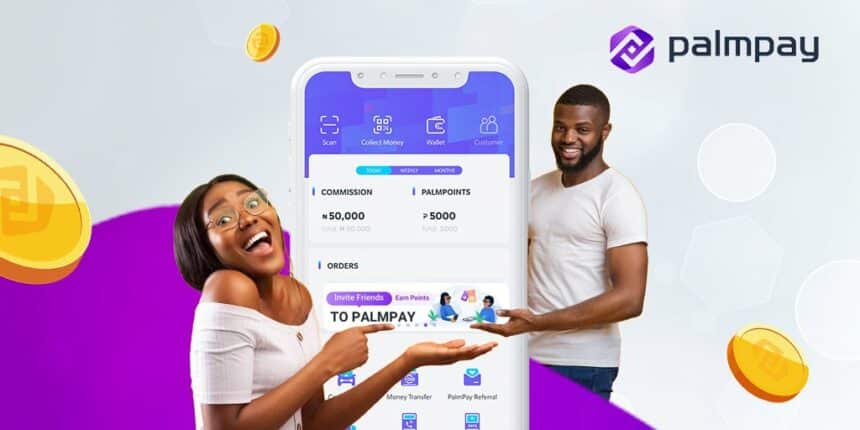
PalmPay is a digital finance app that allows you to open an account, send money, pay bills and save money in Nigeria. PalmPay is trusted by millions of Nigerian users for its fast, reliable and rewarding services. In this blog post, we will show you how to use PalmPay to enjoy its benefits and features.
What is PalmPay?
PalmPay is a payments startup that offers a payment app and agency banking network to facilitate payments and transfers in Nigeria and Tanzania. In Nigeria, PalmPay offers 10% cash back on airtime purchases and bank transfer rates as low as 10 Naira ($.02). The startup is regulated by the Central Bank of Nigeria under a Mobile Money Operator license. PalmPay also provides loans to people in need through its automatic lending platform.
PalmPay has many advantages over other payment apps in Nigeria. Here are some of them:
- You can save money on fees and earn rewards as you spend through discounts and cashback.
- You can get 20% discount on airtime every Tuesday and 10% discount on data every Friday.
- You can pay at over 100,000 local shops and get cashback every day.
- You can save flexibly with super amazing daily interest at 16% p.a., or lock your funds to earn up to 20% p.a..
- You can get loans within 5 minutes of approval with low interest rates and flexible repayment terms.
- You can enjoy fast and free transfers to any PalmPay app user or Nigerian bank account.
- You can access customer support 24/7 through the app or phone.
How to use PalmPay App?
Using PalmPay is easy and convenient. All you need is your phone number to sign up and get mind-blowing rewards and benefits. Here are the steps to use PalmPay:
- Download the PalmPay app from Google Play Store or App Store.
- Open the app and enter your phone number to register.
- Verify your phone number with the OTP sent to you.
- Set up your PIN and security questions.
- Complete your profile with your name, email, date of birth and BVN number.
- You can now start using the app to save, transfer and pay bills.
How to save money?
PalmPay offers two ways to save money: flexible savings and fixed savings.
- Flexible savings allow you to save any amount at any time and withdraw for free whenever you want. You can earn daily interest at 16% p.a. on your savings balance.
- Fixed savings allow you to lock your funds for a period of time and earn higher interest rates. You can choose from 7 days, 14 days, 30 days or 90 days plans. The interest rates range from 17% p.a. to 20% p.a..
To start saving with PalmPay, follow these steps:
- Tap on the “Savings” icon on the home screen of the app.
- Choose between flexible savings or fixed savings.
- Enter the amount you want to save and confirm.
- You can view your savings balance and interest on the app.
How to transfer money with PalmPay?
PalmPay allows you to transfer money to any PalmPay user or Nigerian bank account for free or at low rates. You can also send money to Tanzania if you have a Tanzanian account.
To transfer money with PalmPay, follow these steps:
- Tap on the “Transfer” icon on the home screen of the app.
- Choose between “To Bank” or “To User”.
- Enter the recipient’s account number or phone number and select the bank or network.
- Enter the amount you want to send and confirm.
- You can view your transaction history and status on the app.
How to pay bills with PalmPay?
PalmPay allows you to pay bills for various services such as airtime, data, electricity, TV, water, education, insurance, etc.. You can also enjoy discounts and cashback on some of these services.
To pay bills with PalmPay, follow these steps:
- Tap on the “Bills” icon on the home screen of the app.
- Choose the service you want to pay for from the list of categories.
- Enter the details of the bill such as phone number, meter number, customer ID, etc.
- Enter the amount you want to pay and confirm.
- You can view your transaction history and status on the app.
How to get loans with PalmPay?
PalmPay offers loans to eligible users who need quick cash for personal or business purposes. You can get loans from N2,000 to N100,000 with interest rates from 14% to 24% p.a. and repayment periods from 91 days to 365 days.
To get loans with PalmPay, follow these steps:
- Tap on the “Loans” icon on the home screen of the app.
- Choose the loan amount and repayment period that suit your needs.
- Fill in your personal and bank details and submit your application.
- Wait for approval within 5 minutes.
- Receive your loan in your PalmPay wallet or bank account.
How to contact PalmPay?
If you have any questions, feedback or complaints about PalmPay, you can contact their customer support team through the following channels:
– Phone: Call 018886888
– Email: Send an email to support@palmpay.com
– App: Tap on the “Me” icon on the home screen of the app and then tap on “Help Center”. You can chat with a live agent or browse through the FAQs.
Conclusion
PalmPay is a digital finance app that fits your life. You can use it to save, transfer, pay bills and get loans in Nigeria. PalmPay is fast, reliable and rewarding. You can download it now and start enjoying its benefits and features.
To have an idea on the exchange rates in Nigeria, you can visit fxrates.ng or read our blog post here.